
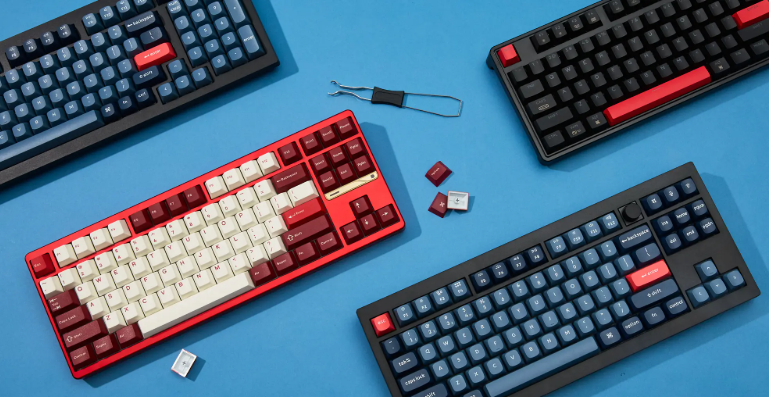
Keyboard:
A keyboard is one of the most important input devices used with computers, laptops, and other digital systems. It allows users to enter text, numbers, and commands efficiently. Whether you are a student, professional, gamer, or casual computer user, a keyboard plays a vital role in daily digital activities. From writing documents and sending emails to programming and gaming, keyboards are indispensable tools in today’s technology-driven world.
What Is a Keyboard?
A keyboard is an electronic input device that consists of a set of keys used to communicate with a computer or other electronic devices. Each key represents a character, number, symbol, or function. When a key is pressed, the keyboard sends a signal to the connected device, allowing the user to perform specific actions.
Modern keyboards come in various designs and layouts to meet different user requirements. They are available in wired and wireless versions, making them suitable for home, office, and mobile use.
Types of Keyboards
Mechanical Keyboards
Mechanical keyboards use individual switches beneath each key. They are known for their durability, tactile feedback, and fast response times. These keyboards are popular among gamers, programmers, and professionals who spend long hours typing.
Keyboards Membrane
Membrane keyboards use a pressure pad system and are generally more affordable than mechanical keyboards. They are quieter and lightweight, making them ideal for office and home environments.
Wireless Keyboards
Wireless keyboards connect through Bluetooth or USB receivers. They provide flexibility and reduce cable clutter, making workspaces cleaner and more organized.
Gaming Keyboards
Gaming keyboards are specially designed for gamers. They often include RGB lighting, programmable keys, anti-ghosting technology, and faster response times to enhance gaming performance.
Main Parts of a Keyboard
Alphanumeric Keys
These keys include letters, numbers, and punctuation marks. They are the most frequently used keys for typing and communication.
Function Keys
Located at the top of the keyboard, function keys (F1 to F12) perform special tasks depending on the software being used.
Numeric Keypad
The numeric keypad is usually found on the right side of full-sized keyboards. It allows quick entry of numbers and is especially useful for accounting and data entry tasks.
Control Keys
Keys such as Ctrl, Alt, Shift, and Windows perform command-based operations and keyboard shortcuts that improve productivityArrow keys, Home, End, Page Up, and Page Down help users navigate documents and webpages efficiently.
Benefits of Using a Keyboard
ALSO READ;https://weblibrarys.com/vacuum-technologies/
Faster Data Entry
A keyboard enables users to input large amounts of text quickly and accurately. This is essential for office work, education, and content creation.
Improved Productivity
Keyboard shortcuts save time and reduce dependency on a mouse. Common shortcuts like Ctrl+C and Ctrl+V help users complete tasks more efficiently.
Enhanced Gaming Experience
Gaming keyboards offer features specifically designed to improve gameplay, such as customizable keys and rapid response times.
Comfortable Communication
Whether writing emails, chatting online, or creating reports, keyboards provide a convenient and effective method of communication.
How to Choose the Right Keyboard
Consider Your Purpose
Before purchasing a keyboard, determine how you plan to use it. Gamers may prefer mechanical keyboards, while office workers might benefit from quiet membrane keyboards.
Check Connectivity Options
Choose between wired and wireless models based on your workspace and mobility needs.
Evaluate Comfort
Look for ergonomic designs that reduce wrist strain and improve typing comfort during extended use.
Review Additional Features
Backlighting, programmable keys, multimedia controls, and customizable settings can enhance the overall user experience.
Keyboard Maintenance Tips
Keep It Clean
Dust and debris can accumulate between keys over time. Regular cleaning helps maintain performance and hygiene.
Avoid Spills
Liquids can damage internal components. Keep drinks away from your keyboard to prevent accidental damage.
Use Protective Covers
Keyboard covers help protect against dust, dirt, and minor spills, extending the lifespan of the device.
Store Properly
If not in use, store your keyboard in a safe and dry location to prevent physical damage.
Technology The Future of Keyboard
Keyboard technology continues to evolve with advancements in computing. Manufacturers are introducing ergonomic layouts, customizable key switches, wireless innovations, and smart features. As remote work and digital communication become increasingly common, keyboards will remain a crucial component of modern technology.
Future keyboards may integrate artificial intelligence, adaptive key functions, and enhanced connectivity options, making them even more efficient and user-friendly.
Contact Information
For inquiries, support, or additional information related to keyboards and computer accessories, you may contact: 9253612736.
Conclusion
A keyboard is much more than a simple computer accessory. It serves as a primary communication bridge between users and digital devices. With various types, features, and technologies available, choosing the right keyboard can significantly improve productivity, comfort, and overall computing experience. Whether for work, education, gaming, or personal use, a quality keyboard remains an essential tool in the digital age.